Universal Player Combat: Player Combat for Unreal Engine 5
Player combat plugin for Unreal Engine 5.6, 5.7 and 5.8: combos that chain and cancel, weapons with their own moves, lock-on, parry and block, executions and an inventory, set up in Blueprint with no C++, in single player and multiplayer.
At a glance
- Made for: third-person action games whose player needs combos, a dodge, lock-on, parry and block, and finishers: souls-like, action RPG and brawler.
- Engine: Unreal Engine 5.6, 5.7 and 5.8.
- Setup: Blueprints and data assets, with no C++ needed. The full C++ source is included.
- Moves: each move is a card in an Action Graph you wire in the editor, and a drawn weapon brings its own moves, keys and hit volumes.
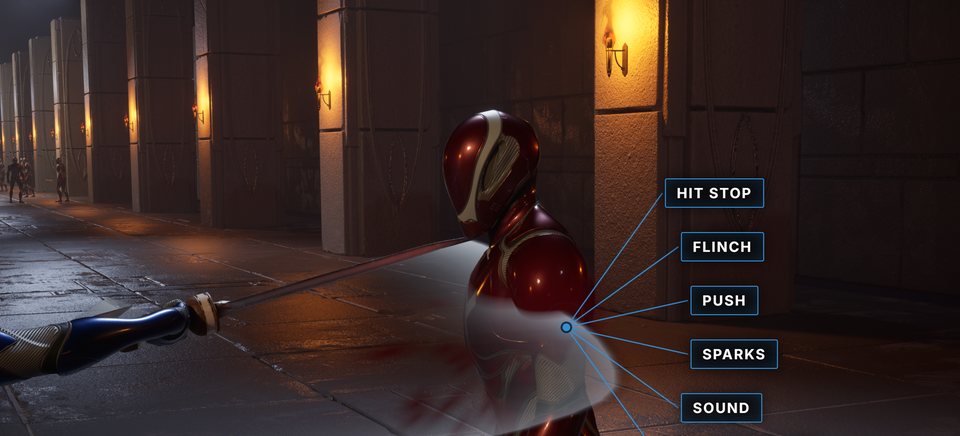
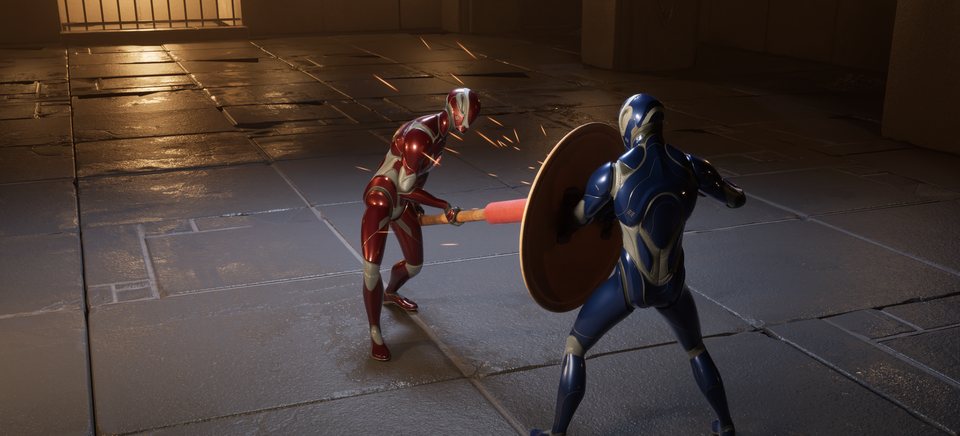
- Attacks and hits: Gameplay Ability System abilities play each move, swept weapon traces find the hits (Melee Trace), and defense rules answer with a parry, a block or invulnerability frames (Defense).
- Multiplayer: a move plays at once on the player's own machine and the server confirms it, in single player, on a listen server and on a dedicated server (Multiplayer).
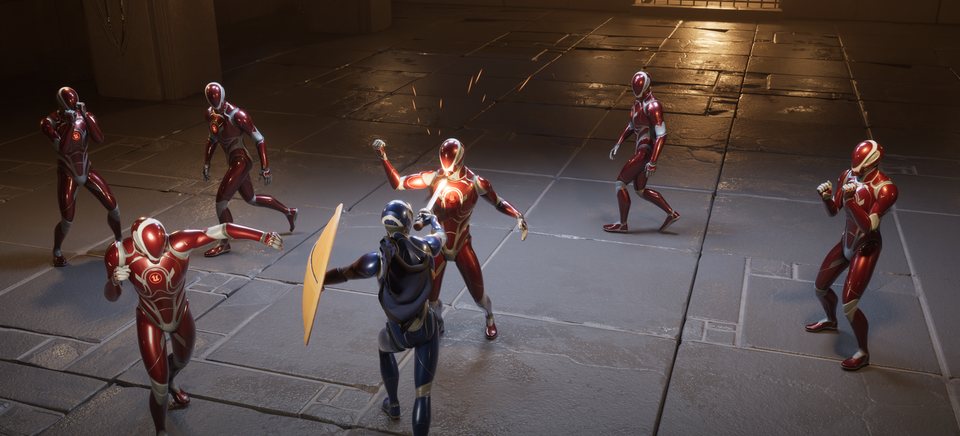
- Included: a demo level with three combat styles, the Action Graph Editor and the Pairing Editor (for executions and other two-character moves), an inventory with three ready screens, and a guide that lets an AI coding agent build a player for you (AI Agent Guide).
- Not included: enemy AI. The demo's enemies run action graphs like the player's, pressed by a Behavior Tree, and Soulslike Enemy Combat is the enemy AI plugin of the same family.
How a hit happens
Start here
Getting Started
Turn the plugin on, play the demo and land a hit.
Build Your First Combo
A sword with a three-hit combo, from an empty folder.
Character Setup
Make a character of your own fight without reparenting it.
Guides
🗺️ Souls-like Player Combat: Where to Start
Each part of a Dark Souls style player, and the page that sets it up.
✋ One Item at a Time
Carry only what is in hand: no hotbar, no inventory screen.
Moves
🕸️ Action Graph
Moves as nodes, inputs as transitions, and when a press counts.
🗺️ Action Graph Editor
Wire moves together and watch a character run them in play.
⏳ Gates, Costs and Cooldowns
When a move may start, what it spends, how long it waits.
🎮 Input
Keys to input tags: the character's, an item's, and chords.
Items and equipment
🗡️ Items
An item asset and the fragments that give it each capability.
🧰 Equipment
Draw and put away items, places on the body, worn gear.
🔢 Quick Bar
The belt: one key per slot, with filters.
🤲 Pickups, Drops and Holders
Items on the ground, dropping, and weapon racks.
Inventory
🎒 Inventory
Stacks of owned items, and picking an inventory style.
🗃️ Containers and Rules
Slots, grids, storage, caps per kind, weight limits.
👜 Bags and Banks
Pouches that open containers of their own, and a bank.
🔧 Combines
Drop one item onto another: recipes, magazines, keys.
💰 Loot Chests
A chest every nearby player shares, with Take All.
🖱️ Inventory Screens
The ready screens, and building your own.
💾 Saving the Inventory
Put every item back from your own save game.
🧳 Survival Grid Inventory
A small case where items turn to fit, and an item box.
🏕️ Party RPG Inventory
A backpack, weight tiers, pouches, worn gear, a camp stash.
📜 Open World List Inventory
One sorted list by category, and weight that slows.
✂️ Use Only Part of the Inventory
A belt alone, a list without a grid: leave the rest out.
🧩 Inventory Rules and Combines in Blueprint
The demo's Blueprint rules and combines, node by node.
Feel and motion
🎭 Combat Styles
One asset for rotation, targeting, reach, movement and camera.
🎯 Targeting
Pick the enemy in front, lock on, switch with a flick.
🧭 Attack Steering
Attacks turn to the target, close the gap and stop short.
🎥 Camera
A third-person camera framed by the style or the weapon.
🏃 Sprint and Speed
Sprint on a held button, and slow a character by tag.
Landing a hit
⚔️ Melee Trace
Hit volumes on the weapon, swept while the attack plays.
💥 Damage and Hit Effects
What a hit is worth, impact effects and hit stop.
🛡️ Defense
Parries, blocks and invulnerability, lent by the item in hand.
💫 Hit Reactions
Flinches when poise breaks, and hyper armor.
🦴 Physical Reactions
Bones that move under a blow, and a ragdoll on death.
❤️ Vitals
Health, stamina and any pool you name.
📣 Telegraphs
A flare over a swing to parry, a cross over one to dodge.
World
🚪 Interaction
Make any actor usable, with a prompt for the key.
📦 Interaction Payloads
What an option plays: a montage, a wait or an ability.
🤝 Paired Actions
Finishers, counters and grabs: two characters in one move.
🎬 Pairing Editor
Line up roles, time montages and key a camera shot.
Presentation
🎞️ Animation Integration
Mesh tags, item animation layers, footsteps and trails.
🖥️ HUD and Input Prompts
Bars that follow the character, and key prompts.
Reference
🌐 Multiplayer
What the server decides, and how to test with lag.
🧩 Patterns
Recipes from the demo: styles, a parry, a dodge, an execution.
Credits
Support
Pairs well with
Universal Player Combat gives the player their fight: combos, equipment, targeting and finishers. Need enemy logic? Soulslike Enemy Combat gives your enemies theirs.